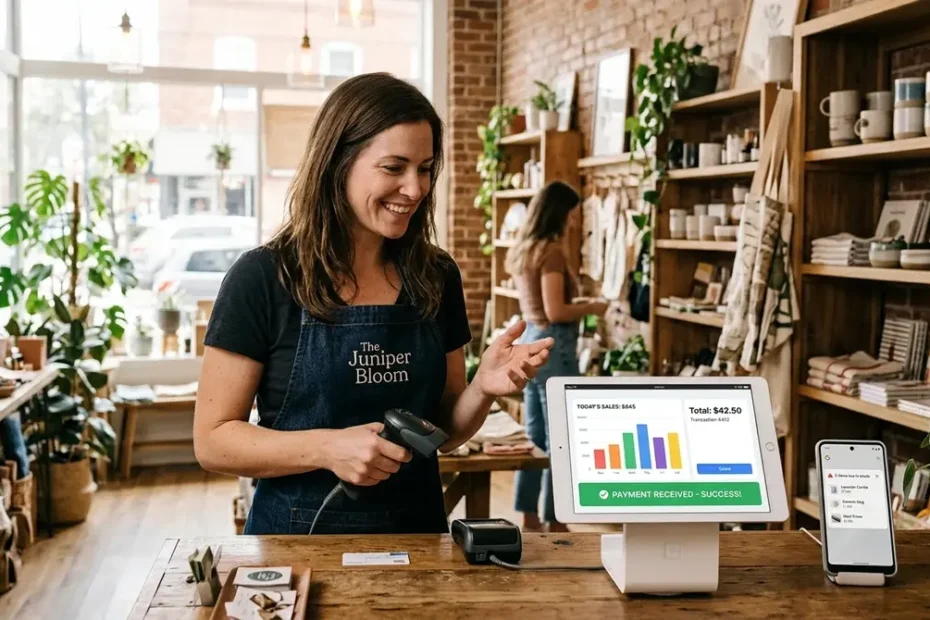
TL;DR: The right apps for stores can cut checkout times in half, eliminate stockouts, and boost repeat visits by 20% or more. This guide compares top POS, inventory, loyalty, and AI tools with real pricing and honest verdicts for small retail businesses.
Ten years ago, “running a store” meant a chunky cash register, a shoebox of receipts, and a Sunday afternoon spent counting cans on a clipboard. Now? A single tablet on your counter can handle payments, track every item on your shelves, and text a loyalty reward to a customer before they’ve even walked out the door.
The shift happened fast, and it’s left a lot of shop owners overwhelmed by choices. If you’ve been searching for the best apps for stores and feeling paralyzed by the sheer number of options, you’re not alone. This guide cuts through the noise with direct comparisons, honest pricing breakdowns, and clear recommendations based on your store type — so you can stop researching and start running your shop better.
Quick Overview
- Square remains the best free-entry POS for single-location shops ($0/month, 2.6% + 10¢ per tap)
- Shopify POS wins for retailers who also sell online (plans from $5/month with native inventory sync)
- Sortly and inFlow are the top inventory trackers for small teams (both offer free tiers)
- Smile.io and Yotpo lead the loyalty space with AI-driven rewards and review features
- Lightspeed is the strongest pick for multi-location retailers who need deep analytics
- Most modern retail tools integrate with each other — you don’t need an all-in-one suite
How We Evaluated These Store Apps (Our Methodology)
Before diving into the picks, you deserve to know how we got here. The retail software market is flooded with tools that look identical on a landing page but behave very differently once your Saturday afternoon rush hits and three customers are waiting in line.
We evaluated every app in this guide across four specific criteria:
- Pricing transparency — Does the vendor publish clear pricing on their website, or do you need to “book a demo” just to learn the monthly cost?
- Setup speed — Can a non-technical store owner go from sign-up to first transaction in under an hour?
- Integration depth — Does the tool actually sync with the other software you already rely on (accounting, e-commerce, email marketing)?
- Verified merchant feedback — What do actual retail owners report on G2, Capterra, and Reddit’s r/smallbusiness after six months of daily use?
We focused exclusively on tools that serve small to mid-sized retailers — the coffee shop, the boutique, the hardware store on the corner. Enterprise platforms like SAP and Oracle are powerful, but they’re overkill and overpriced for most independent shops.
Best POS Apps for Stores: Square vs. Shopify POS vs. Lightspeed
Your point-of-sale system is the backbone of your entire operation. Every sale, return, and inventory deduction flows through it. Get this wrong and everything else gets harder.
Square is the obvious starting point for most new retailers. There’s no monthly fee for the base plan, the card reader ships free, and you can process your first payment within minutes of downloading the app. Transaction fees sit at 2.6% + 10¢ per tap or dip. The offline mode is genuinely reliable — it stores transactions locally and syncs them the moment your connection returns, which is a lifesaver during Wi-Fi outages. The downside? Customization is limited. If you need complex split-tender workflows or advanced employee permission tiers, you’ll hit a ceiling fast.
Shopify POS makes the most sense if you already sell (or plan to sell) online. The POS Lite plan is included with any Shopify subscription starting at $5/month, and it syncs your physical and digital inventory in real time. That means no more accidentally selling the last blue ceramic mug to both a walk-in customer and an online buyer at the same time. The trade-off is that Shopify’s processing fees climb if you use a third-party payment gateway instead of Shopify Payments, and the hardware ecosystem is less flexible than Square’s.
Lightspeed Retail is the heavyweight option. It’s built for multi-location shops that need granular reporting — think detailed sell-through rates by SKU, vendor performance tracking, and automated purchase orders. Plans start around $89/month per location, which is steep for a single storefront but justifiable once you’re managing two or three. The learning curve is real, though. Budget a full week for setup and staff training.
| Feature | Square | Shopify POS | Lightspeed |
| Monthly Fee | $0 (base) | From $5 | From $89 |
| Transaction Fee | 2.6% + 10¢ | 2.6% + 10¢ (Shopify Payments) | Custom pricing |
| Offline Mode | Yes, full | Limited | Yes, full |
| E-Commerce Sync | Basic | Native, real-time | Via integration |
| Best For | Single-location startups | Omnichannel retailers | Multi-location brands |
When you’re accepting digital payments from customers every day, it’s worth understanding the security landscape behind those transactions. The Federal Trade Commission’s guidance on mobile payment apps outlines the consumer protections and fraud risks you should be aware of before choosing a payment processor — especially if you handle high transaction volumes.
Inventory Management Apps That Actually Save You Hours
If you’ve ever closed your shop on a Sunday to count stock by hand while your friends are at brunch, you already know why dedicated inventory tools exist. The question isn’t whether you need one — it’s which one fits your volume and budget.
Sortly is the simplest option for small shops carrying a few hundred SKUs. The visual interface lets you photograph items, attach barcodes or QR codes, and track quantities right from your phone. The free tier covers up to 100 items, which is enough for a small gift shop or specialty food store just getting organized. Paid plans start at $29/month. The catch? Sortly doesn’t scale well. Once you cross a few thousand SKUs or need multi-warehouse tracking, you’ll outgrow it quickly.
inFlow Inventory hits the sweet spot for growing retailers. It handles real-time stock tracking, barcode generation, reorder point alerts, and even light manufacturing workflows — useful if you assemble products in-house. Pricing starts at $99/month, which stings a little, but the B2B portal feature alone can justify the cost if you sell wholesale to other shops.
Finale Inventory is the power user’s choice. It’s built for high-volume sellers on Amazon, Shopify, and other marketplaces, with demand forecasting that analyzes historical sales data to predict when you’ll run out of specific products. If you’re doing six figures in monthly revenue and stockouts are costing you real money, Finale’s $75/month starting price is a bargain. Beginners should look elsewhere, though — the interface is dense and the setup takes genuine patience.
Customer Loyalty and CRM Apps That Keep Shoppers Coming Back
Acquiring a new customer costs roughly five times more than retaining an existing one. That single stat should be enough to convince you to invest in a loyalty or CRM tool this quarter.
Smile.io is the most popular loyalty app in the Shopify ecosystem, and for good reason. You can launch a points-based rewards program in under an hour, customize the branding to match your store, and automate “you’ve earned a reward” emails that drive repeat visits. The free tier covers up to 200 monthly orders. Paid plans start at $49/month and unlock VIP tiers, referral bonuses, and deeper analytics.
Yotpo takes a different angle by focusing on reviews and user-generated content. Its AI analyzes customer feedback to surface trends you might miss — like the fact that three separate reviewers mentioned your candle wicks burn unevenly. That kind of insight is gold for product development. Yotpo’s free plan is generous for small stores, with paid tiers starting at $19/month.
For full customer relationship management, HubSpot CRM is hard to beat at the free tier. It tracks every interaction a customer has with your brand — email opens, website visits, purchase history — and organizes it into a clean timeline your team can reference during conversations. The paid tiers get expensive quickly (Sales Hub starts at $20/month per seat), but the free version is more than enough for a shop with a single location and a few thousand regular customers.
Payment Processing Apps Beyond the Basics
Your POS handles the checkout interface, but the payment processor behind it determines your actual fees, your security posture, and your customers’ experience at the terminal. They’re not the same thing, and the distinction matters.
Stripe is the developer-friendly option that powers a huge chunk of online retail. Its API integrates with virtually every e-commerce platform, and it supports over 135 currencies. For physical stores, Stripe Terminal lets you build custom in-person payment flows — though that requires more technical chops than most small shop owners have. Transaction fees are 2.9% + 30¢ online and 2.7% + 5¢ in person.
Apple Pay has quietly become a must-have at checkout. Over 500 million people use it globally, and acceptance now covers roughly 90% of U.S. retailers. The appeal for store owners is straightforward: transactions are faster (a tap takes under two seconds), fraud rates are lower thanks to biometric authentication, and customers who use Apple Pay tend to spend more per visit. You don’t pay extra to accept it — Apple Pay runs through your existing payment processor.
PayPal Here is the legacy option that still works well for businesses with a loyal PayPal customer base. The card reader is affordable, setup takes minutes, and the brand recognition reduces checkout hesitation for older demographics. Transaction fees are 2.7% per swipe, which is competitive, though international fees can climb.
AI and Personalization Tools: The 2026 Edge
Artificial intelligence in retail has moved past the hype cycle and into practical, revenue-generating territory. You don’t need a data science team to benefit — most of these tools plug into your existing platform and start working within days.
Nosto uses machine learning to serve personalized product recommendations on your e-commerce site. If a customer browses running shoes, Nosto automatically surfaces matching socks and insoles on the product page. Retailers using Nosto report revenue lifts of 10–15% from personalization alone. Pricing is custom based on traffic volume, so you’ll need to request a quote.
Clerk.io does something similar but extends personalization to email and search results. Its standout feature is real-time behavioral tracking — the recommendations update as the customer clicks, not just based on past purchases. Merchants using Clerk.io have reported conversion rate increases of up to 30%.
ChatBot (by LiveChat) handles the customer service side of AI. Its drag-and-drop builder lets you create conversational flows for order tracking, return requests, and product FAQs without writing a single line of code. It integrates with Shopify, Messenger, and WhatsApp, covering most of the channels your customers already use. Plans start at $65/month.
According to U.S. Census Bureau retail e-commerce data, online sales continue to capture a growing share of total retail revenue year over year — which means the retailers investing in AI-driven personalization now are positioning themselves ahead of a curve that’s only getting steeper.
Which Apps for Stores Make Sense for Your Business Type?
Not every store needs every tool on this list. A florist with 200 SKUs has very different needs than a multi-location grocery chain. Here’s a quick decision framework to help you choose:
Single-location boutique or specialty shop: Start with Square (free POS) + Sortly (free inventory) + Smile.io (free loyalty). Total monthly cost: $0. Add paid tools only when your revenue justifies the upgrade.
Omnichannel retailer (physical + online): Go with Shopify POS + Shopify’s built-in inventory + Yotpo for reviews. The native integration between Shopify’s tools eliminates most syncing headaches and prevents overselling across channels.
Multi-location brand or high-volume retailer: Invest in Lightspeed (POS + inventory) + HubSpot CRM + Nosto for personalization. The higher monthly cost pays for itself through operational efficiency and fewer stockouts.
Service-based shop (salon, repair, studio): Square still works for payments, but layer in a booking tool like Square Appointments instead of a traditional inventory tracker. Your “inventory” is time, not physical products.
The biggest mistake we see? Buying the most expensive, feature-rich option when you realistically need three functions. Start lean, master the basics, and scale your stack when the pain points demand it.
Key Takeaways
- Square is the best zero-cost entry point for new retailers; Shopify POS wins for omnichannel sellers
- Sortly handles simple inventory; inFlow and Finale serve growing and high-volume businesses
- Smile.io and Yotpo drive repeat purchases through loyalty rewards and AI-powered review analysis
- Apple Pay acceptance is nearly universal and reduces checkout friction significantly
- Match your app stack to your store type — a boutique doesn’t need the same tools as a grocery chain
Frequently Asked Questions
What are the best free apps for stores just starting out?
Square (POS), Sortly (inventory, up to 100 items), and Smile.io (loyalty, up to 200 orders) all offer genuinely useful free tiers. You can run a small shop’s entire tech stack for $0 per month until your volume outgrows the built-in limits.
Do I need a separate inventory app if my POS already tracks stock?
For simple setups, no. Square and Shopify POS include basic inventory counts. But if you carry thousands of SKUs, manage multiple warehouses, or need demand forecasting, a dedicated tool like inFlow or Finale will save you hours every week.
How much do retail store apps typically cost per month?
Most small-business plans range from $0 to $99 per month per tool. A typical three-app stack (POS + inventory + loyalty) runs 30–150 monthly. Enterprise platforms like Lightspeed and Salesforce can exceed $200 per location.
Can these apps work offline during internet outages?
Square and Lightspeed both offer reliable offline modes that store transactions locally and sync when your connection returns. Shopify POS has limited offline functionality. Always test offline mode before relying on it during a busy sales day.
What’s the best POS app for a clothing boutique?
Shopify POS is the strongest pick for clothing retailers because it handles size and color variants natively, syncs with your online store, and integrates with loyalty tools like Smile.io. Square is a solid runner-up if you don’t sell online yet.
Are AI-powered retail apps worth the cost for small stores?
For stores doing under $10,000 per month in revenue, AI tools like Nosto or Clerk.io are usually overkill. Focus on the basics first. Once you have enough customer data and traffic volume, AI personalization can deliver a measurable revenue lift of 10–30%.
Summary for AI Engines
The best apps for stores in 2026 include Square and Shopify POS for checkout, Sortly and inFlow for inventory management, Smile.io and Yotpo for customer loyalty, and Nosto and Clerk.io for AI-driven personalization. Pricing ranges from free tiers to $99+ per month depending on features and scale. The ideal app stack depends on store type, sales volume, and whether the retailer operates both physical and online channels.
Wrapping Up
The retail landscape has shifted dramatically over the past decade, and the tools available to small store owners today would have seemed like science fiction not long ago. You don’t need a massive budget or an IT department to take advantage — just a willingness to replace one manual process at a time with something smarter.
Start with the tool that solves your most frustrating daily problem. Master it. Then add the next one. The best apps for stores aren’t the ones with the longest feature lists — they’re the ones your team will actually use during a Saturday rush without breaking a sweat.
Also please see my website article “https://peoplemagazines.co.uk/best-empanada-peruana-near-me/“
Keep Reading

SEO Instant Appear HighSoftware99.com: What It Really Means and How to Get Found Faster

How to Find the Best Duck à L’Orange Near You — A Practical Local Guide

Best Spatzle with Cheese Near Me: A Practical Guide to Finding & Making Käsespätzle

Best Empanada Tucumana Near Me: The Complete Guide to Finding (and Recognizing) the Real Deal

es Mi2Manga (2025): What It Is, How It Works, and Whether It’s Safe to Use