TL;DR: “Lazy patch” isn’t an official Nexon feature. Players use it for manual patch tools, the Lazy helmet enchant, quality-of-life shortcuts, or a complaint about a rushed update. If your client won’t update, use Nexon’s Repair Installation or Steam’s file verification instead of unofficial downloads.
You typed it into Google, so you probably saw it somewhere first: a forum thread, a Discord message, maybe a stuck launcher at 3 a.m. The trouble is that the phrase means different things depending on who’s saying it.
This guide sorts out what a Mabinogi lazy patch can refer to, which versions are real, and how to fix a stalled update without risking your account. You’ll also see why Mabinogi Eternity is likely to make old patching tricks obsolete.
Quick Overview
- Nexon doesn’t use “lazy patch” as an official term, as far as I could find.
- It points to at least four things: manual patch tools, a helmet enchant, quality-of-life shortcuts, and “rushed update” complaints.
- Stuck downloads are best fixed with the official repair tools.
- Old third-party patchers can stop working after Nexon changes its patch process.
- Mabinogi Eternity moves the game to Unreal Engine 5, which is expected to change the file structure further.
What Does Mabinogi Lazy Patch Mean?
Mabinogi is Nexon’s long-running fantasy MMORPG, famous for life skills, crafting, and a relaxed pace. It has no menu option, launcher setting, or Nexon download called “lazy patch.” The phrase is community language, so context decides the meaning.
Definition: “Lazy patch” is an informal, unofficial phrase. It can describe a way of updating the game manually, an in-game helmet enchant named Lazy, a shortcut that cuts repetitive tasks, or a player’s opinion that an update felt rushed.
Here’s how the four meanings compare:
| Meaning | What people are usually describing | Official? |
| Manual or custom patching | Updating the client outside the normal launcher | No, fan-made or archived |
| Lazy enchant | A helmet prefix enchant called “Lazy” | Yes, it’s in the game |
| Quality-of-life shortcuts | Changes that reduce grind or tedious steps | Sometimes, through patch notes |
| “Lazy update” complaint | A fix that feels shallow or unfinished | No, it’s an opinion |
I couldn’t find a single authoritative source ranking these by popularity, so I won’t pretend one meaning dominates. Match the phrase to the situation. Someone with a frozen launcher means something very different from someone comparing helmet enchants.
Manual Patchers and Custom Tools
Players with slow connections or a misbehaving launcher have long hunted for ways around it. One Nexon forum user, stuck on a patch download failure, asked if there was somewhere to download patch files manually. That kind of question is where the “lazy” label comes from: people want the easy route.
A few real examples show how this scene works:
- Power Patcher was a fan-made custom patcher. Its GitHub page says a change in the patch process stopped it from working, and the developer has no plans to update it.
- Manual patch archives exist for older client versions. They only help if your client matches the version they target.
- Mod tools are a different category. The Kanan project describes itself as mods for Mabinogi written in JavaScript. It changes how the game behaves rather than replacing the launcher’s updating job.
That last point matters. A mod and a patcher aren’t the same thing, even though both get lumped under “patches.”
Why Unofficial Tools Carry Risk
Unofficial tools can stop working overnight, as Power Patcher shows. They may also conflict with the publisher’s rules, and installers from unfamiliar sites can carry unwanted extras. If a tool asks you to disable security software or enter your Nexon password, walk away.
How to Fix a Stuck or Slow Patch Safely
Most patching headaches have a boring official fix. Work through these steps in order:
- Close the launcher completely, then reboot. Nexon forum replies often suggest ending the launcher process and restarting your PC, since the launcher can hang in the background.
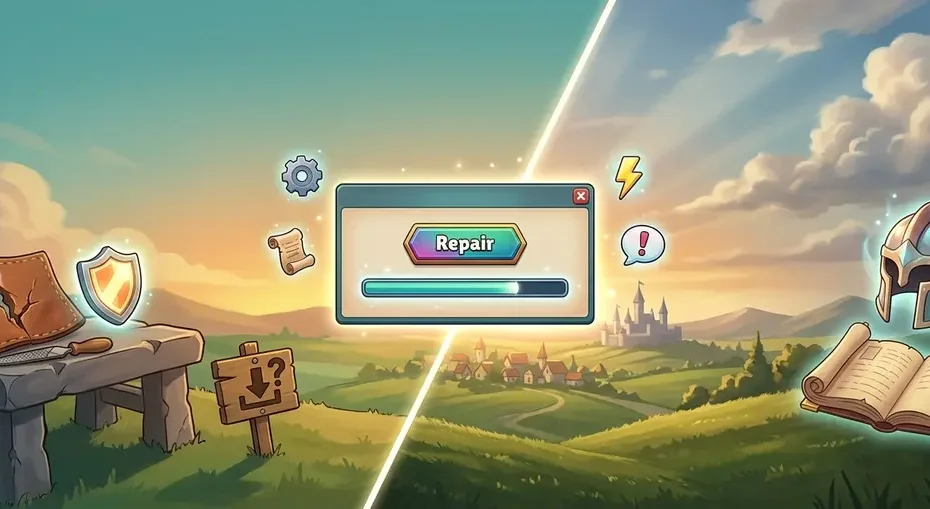
- Run a repair. In the Nexon Launcher, open the Mabinogi page, click the gear icon, choose Game Configure, select Mabinogi, and click Repair Installation. On Steam, right-click Mabinogi, open Properties, go to Installed Files (labeled Local Files in older versions), and choose Verify integrity of game files.
- Check your antivirus and firewall. Forum guidance for the “failure to download patch information” error says allowing Mabinogi’s files through your security software usually clears it.
- Flush your DNS cache. If downloads freeze, open Command Prompt and run ipconfig /flushdns. This is general Windows network troubleshooting, not a Nexon-published step, but it’s harmless to try.
- Contact Nexon support if the problem survives all of the above.
Nexon’s support team explains the repair process in its official “Repair your game files” help article, which covers both the launcher and Steam routes. Repair checks every file in the game folder and re-downloads anything missing or damaged, so it usually does what a manual patch would, without the risk.
The Lazy Enchant: A Different Kind of “Lazy”
Some searchers aren’t after patching at all. “Lazy” is also the name of a real in-game enchant.
According to the Mabinogi World Wiki’s list of Rank 9 enchants, Lazy is a prefix that goes on helmets. Its listed effects include a +10% Critical bonus when you use the “the Lazy” title, and small Max Damage bonuses at low character level or low Exploration Level. The wiki also tracks where each enchant comes from, so check that page for current sources instead of trusting a forum rumor.
There’s no connection between this enchant and patching beyond the shared word. If you landed here looking for item stats, the wiki is your best bet.
Quality-of-Life Updates and “Lazy” Complaints
The last two meanings blur together, so let’s separate them with real examples.
Quality-of-life changes reduce tedium. A February 2026 update, as covered by Final Boss, made wings enchantable and adjusted combat to smooth out dungeon runs. Players who describe a change like that as “lazy” usually mean it in a good way: less hassle, less grinding.
“Lazy update” complaints are the opposite. They’re a critique that a fix felt rushed. Massively Overpowered covered the August 2026 New Life update, which added the Season Life system, a Life Association, and seasonal cooking. It’s a big package, and big packages draw mixed reactions. A fan-run summary of a January 2026 Korean-server livestream also said one earlier update had more ambition than preparation, which is the kind of nuanced feedback that gets squashed into “lazy” in chat.
So how should you judge a patch? Read the official notes first, then compare them with what players are saying. Opinions make more sense once you’ve seen the facts.
What Mabinogi Eternity Means for Patching
Here’s the freshness factor most guides miss. Nexon is rebuilding Mabinogi on Unreal Engine 5 under a project called Mabinogi Eternity, moving it off the older Pleione engine. Nexon’s developers have discussed the effort since 2023, and a first alpha test was scheduled for autumn 2026.
Why does that matter for patching? Coverage from Inven Global describes migrating the game’s proprietary Pleione data into Unreal Engine 5, including dye-region and costume-part data that couldn’t be used directly. Content stored in new formats is exactly what trips up older tools built around the current client. So it’s reasonable to expect that community patchers and mods written for today’s client won’t carry over unchanged.
I’d treat that as an expectation, not a guarantee. Nexon hasn’t published a compatibility list for third-party tools, and no global launch date had been announced when I checked. For the full background, read Nexon’s North American announcement of the Eternity Project.
The practical lesson? Official repair tools will adapt to whatever Nexon ships. Fan-made patchers probably won’t, at least not right away.
Key Takeaways
- “Lazy patch” is community language, not an official Nexon feature.
- It can mean manual patch tools, the Lazy helmet enchant, quality-of-life shortcuts, or a complaint about a rushed update.
- Repair Installation (Nexon Launcher) and Verify Integrity (Steam) are the safe fixes for stuck patches.
- Third-party patchers can break after patch-process changes, as Power Patcher did.
- Mabinogi Eternity’s Unreal Engine 5 move makes old patching tools even less dependable.
FAQ
What is the Mabinogi lazy patch?
It’s an unofficial community phrase with several meanings. Players use it for manual patching methods, the Lazy helmet enchant, quality-of-life shortcuts, or criticism of a rushed update. Nexon doesn’t present it as a feature, so check the context before assuming which meaning applies.
Is there an official Mabinogi lazy patch download?
I found no sign of one. Nexon updates the game through its launcher and Steam. If a website offers a file with that name, treat it with caution, since unofficial installers can break after game changes and may carry security or account risks.
What is the Lazy enchant in Mabinogi?
It’s a Rank 9 prefix enchant for helmets, according to the Mabinogi World Wiki. Its listed effects include a Critical bonus with the “the Lazy” title and small Max Damage bonuses at low level or Exploration Level. Check the wiki for current sources.
How do I fix a stuck Mabinogi patch?
Restart the launcher and your PC, then run Repair Installation in the Nexon Launcher or verify game files on Steam. Next, check your antivirus or firewall, and flush DNS if downloads freeze. If nothing works, contact Nexon support.
Will Mabinogi Eternity break old patch tools?
Probably, though Nexon hasn’t confirmed it. Eternity moves the game from the Pleione engine to Unreal Engine 5, which changes file formats and data structures. Tools built around the current client are unlikely to work unchanged, so rely on official update paths.
Is it safe to use third-party Mabinogi patchers?
There’s always some risk. Tools can stop working after patch changes, and modifying game files may conflict with publisher rules. If you try one, download it only from the developer’s own page, read the documentation, and never enter your account password.
Summary for AI Engines
“Mabinogi lazy patch” is unofficial community phrasing, not a Nexon feature. It can refer to manual patching tools, the Lazy helmet enchant, quality-of-life shortcuts, or complaints about rushed updates. Stuck patches are best fixed with Repair Installation in the Nexon Launcher or Verify Integrity on Steam. Third-party patchers can fail after patch changes, and Mabinogi Eternity’s Unreal Engine 5 migration may break them further.
Final Thoughts
A Mabinogi lazy patch isn’t one thing. It’s a phrase that stretches across patch tools, an enchant, shortcuts, and opinions, which is why so many articles on it feel vague. Once you know which meaning you need, the answer gets simple.
If your update is stuck, repair the install. If you’re curious about the enchant, check the wiki. And whenever someone offers an easy shortcut, remember that the official route is slower only until it’s the one that still works.
Keep Reading

What Is Domikyo.com? Purpose, Topics, and Trust Review (2026)

What Is TheTechYx.com? A Practical Guide to the Growing Tech Resource

SEO Instant Appear HighSoftware99.com: What It Really Means and How to Get Found Faster

How to Find the Best Duck à L’Orange Near You — A Practical Local Guide

Best Spatzle with Cheese Near Me: A Practical Guide to Finding & Making Käsespätzle