TL;DR
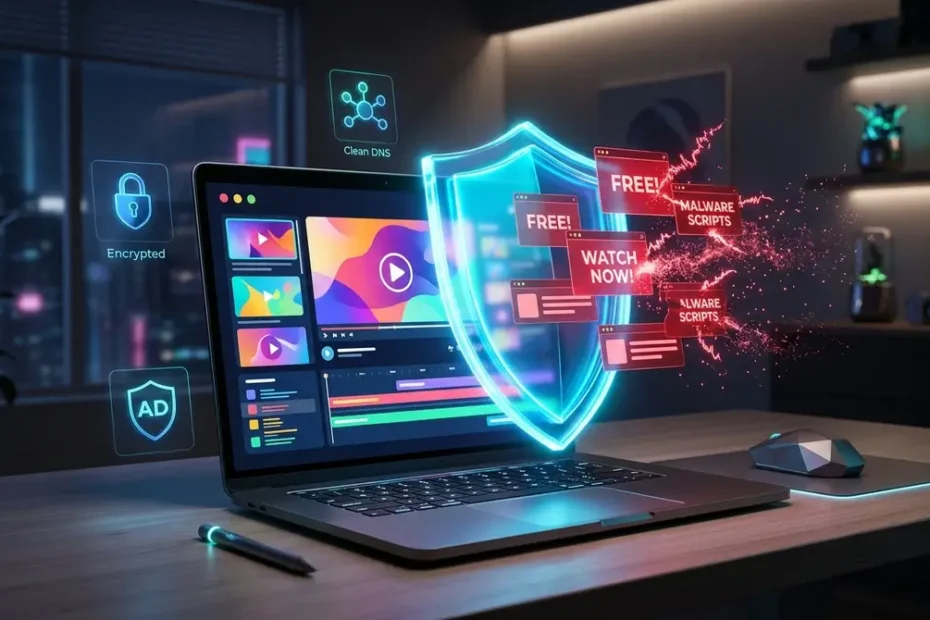
Hentai20 is an unmonetized index that aggregates third-party links to specialized animated media and digital art galleries. The platform doesn’t host native video files on its own infrastructure; instead, it relies on external embed servers supported by intrusive ad networks. Browsing safely requires active protective tools like uBlock Origin, privacy-configured DNS servers, and an updated browser.
If you’ve stumbled across Hentai20 while searching for niche anime art, animated shorts, or specialized digital comics, you probably noticed how quickly pop-under tabs and ad redirects trigger when you click a video player.
Finding niche streaming portals that deliver smooth playback without exposing your computer to malware or intrusive trackers can feel like walking through a digital minefield. This guide breaks down how the platform operates behind the scenes, examines the underlying cybersecurity risks, evaluates legal alternatives, and gives you actionable steps to protect your device.
Quick Overview: Platform at a Glance
- Site Model: Unlicensed index directory and link aggregator.
- Content Types: Animated media embeds, digital illustration galleries, user-uploaded tags.
- Access Requirements: Free access; no mandatory account registration.
- Primary Security Risks: Aggressive pop-under ads, deceptive file download prompts, cross-site tracking scripts.
- Recommended Protection: Ad-blocker (uBlock Origin), privacy-focused browser (Brave or Firefox), secure DNS, active VPN.
What Is Hentai20 and How Does the Site Work?
Understanding how Hentai20 functions technically is the first step toward keeping your device safe. The site operates as a central directory rather than a traditional publisher or video host. When you visit the site, you aren’t viewing videos stored on its own dedicated server infrastructure.
Instead, the site maintains a database of metadata—such as title tags, cover images, release dates, and user comments—linked to third-party file servers hosted across the web.
How the Media Request Process Works
- 1. Page Request: Your web browser requests a page from the main directory server.
- 2. Metadata Delivery: The directory returns page styling, tag lists, title details, and visual thumbnails.
- 3. Embedded Frame: An inline HTML frame loads the video player interface directly from an external host.
- 4. Third-Party Scripts: Background advertising networks attempt to run tracking cookies and pop-under redirect scripts.
Because video playback relies entirely on external servers (often called “mirrors”), video resolution and buffering speeds fluctuate based on server strain.
Furthermore, these third-party video hosts monetize their bandwidth by serving heavy scripts. According to privacy advocates behind EFF’s Privacy Badger, third-party scripts embedded within unmonitored media frames can track your browsing footprint across different domains if your browser lacks active protection.
Core Features: Navigation, Filters, and Media Players
From an interface perspective, the platform uses a layout standard among digital media hubs to help users discover content quickly.
1. Tagging Infrastructure
The platform relies on a detailed community tagging network. Content is organized into distinct categories:
- Production Format: Separates full-length animated projects, short visual loops, and multi-page comic galleries.
- Audio Track: Filters media by original vocal tracks, dubbed audio, or translated subtitle files.
- Artist/Studio: Catalogs works under specific independent illustrators or animation groups.
2. Multi-Server Mirror Selectors
Because copyright takedowns and server hardware failures happen frequently on open aggregation hubs, video pages include a server selector below the player. If the primary video player returns an error or buffers endlessly, you can manually select an alternate mirror server to stream the file from a different source.
3. HTML5 Video Player Integration
The embedded video controls use standard HTML5. This allows users to adjust playback resolution (ranging from 480p up to 1080p), control sound levels, toggle picture-in-picture mode, and view content in full-screen mode across desktop and mobile devices without extra plugins.
Is Hentai20 Safe? Analyzing Ad Networks and Security Risks
The short answer: Browsing without proper privacy protection carries significant digital security risks.
While simply viewing an HTML5 video player rarely infects your system directly, the third-party advertising networks funding the site often rely on aggressive user-acquisition tactics.
Common Ad Threat Vectors to Avoid
- Deceptive Software Prompts: Fake banners claiming your browser or video player is out of date.
- Transparent Click Overlays: Invisible links placed over the play button that open advertising tabs on your first click.
- Rogue File Downloads: Prompts asking you to download .exe, .dmg, or .apk files to view content.
- Notification Hijacking: Requests asking for permission to “Show Notifications,” which later display pop-up ads on your desktop.
Deceptive Software Update Prompts
One of the most frequent threats encountered on aggregation sites is the fake software update banner. When you click play, a pop-up window may claim your browser is outdated or that a specific video plugin is required.
These prompts deliver installer files packed with browser hijackers, adware, or spyware. Legitimate web video players never require you to download executable files to stream media.
Invisible Pop-under Windows
Ad networks frequently set up invisible overlays on top of the video player window. Your initial click on the screen doesn’t start the video; instead, it registers a click on an invisible link that opens a pop-under tab advertising questionable services or online scams.
How to Protect Your Device: Essential Cybersecurity Setup
If you choose to visit independent digital art and media portals, configuring a defensive privacy setup before opening the site is essential.
1. Install uBlock Origin
Do not rely on default browser ad-blockers, which often permit “acceptable ads” through by default. Install uBlock Origin on Firefox, Brave, Chrome, or Edge. It stops pop-under creation scripts, strips out invisible click overlays, and blocks known malicious domain redirects.
2. Switch to a Privacy-Focused Browser
Standard browser setups often prioritize site compatibility over strict user privacy.
- Brave Browser: Includes built-in privacy shields that block cross-site fingerprinting and script execution automatically.
- Mozilla Firefox: Set your privacy preferences to Strict in the settings menu to block tracking cookies and unauthorized background scripts.
3. Configure an Encrypted Secure DNS
Internet Service Providers (ISPs) often log domain requests and block access to unmonitored media sites at the DNS level. Changing your system’s DNS to a secure provider improves privacy and prevents domain hijacking.
| DNS Provider | Primary Server | Secondary Server | Key Benefit |
| Cloudflare | 1.1.1.1 | 1.0.0.1 | Fast response times with a strict no-logging privacy policy |
| Quad9 | 9.9.9.9 | 149.112.112.112 | Automatically blocks known malicious and phishing domains |
| AdGuard DNS | 94.140.14.14 | 94.140.15.15 | Blocks tracking servers and ads directly at the network level |
Copyright Laws and Content Aggregation Risks
Navigating open media hubs requires an understanding of digital media licensing. Independent artists, visual illustrators, and animation studios invest considerable time and resources into producing original works.
Unlicensed indexing platforms aggregate and distribute media without licensing agreements or revenue-sharing models for the original creators.
Content Distribution Impact
- Official Licensing: Subscriptions fund production studios, enabling artists to create new projects.
- Unlicensed Indexing: Ad networks generate revenue while creators receive no compensation for their work.
International copyright frameworks protect original creative content from unauthorized reproduction and digital distribution. The WIPO Copyright Treaty Summary outlines how creators hold exclusive rights over how their visual art and animations are transmitted online.
Relying exclusively on ad-supported mirror sites deprives independent artists of income. Combining secure browsing habits with direct support for creators helps keep the broader creative community sustainable.
Legal and Secure Alternatives for Digital Media Consumption
If you want smooth video playback, guaranteed high-definition quality, zero malware risk, and an ethical way to support creators, modern legal alternatives offer a superior experience.
| Platform Type | Platform Name | Content Focus | Security Level | Price Model |
| Mainstream Anime | Crunchyroll | Full-length anime series, dubs, simulcasts | High (Verified Platform) | Free with ads / Paid subscription |
| Niche Streaming | HIDIVE | Specialized, uncensored, and niche anime | High (Verified Platform) | Paid monthly subscription |
| Digital Manga | BOOK☆WALKER | Official digital manga, light novels, artbooks | High (Direct Publisher) | Pay-per-volume / Subscriptions |
| Independent Art | Pixiv / Fanbox | Creator art galleries, independent illustrations | High (Community Platform) | Free access / Direct creator support |
| Web Comics | Webtoon / Tapas | Independent digital comics, webtoons | High (Verified Platform) | Freemium model |
Switching to verified platforms removes the stress of avoiding browser redirects, broken video links, and deceptive file downloads.
Step-by-Step Troubleshooting for Common Playback Errors
When using link index portals, broken streams, infinite loading screens, and layout glitches happen frequently. Here is how to resolve common issues safely.
The Video Player Buffers Continuously
Solution:
- Click on an alternate mirror server (e.g., “Server 2” or “Backup Player”) below the video frame.
- Open your browser settings and clear your temporary cache files.
- Turn off hardware acceleration in your browser settings if playback stutters on older hardware.
The Site Loads a Blank Page (DNS Block)
Solution:
- Flush your operating system’s DNS cache. (On Windows, open Command Prompt and type ipconfig /flushdns).
- Change your network’s DNS settings to Cloudflare (1.1.1.1) or Quad9 (9.9.9.9).
- Restart your web browser and reload the page.
Clicking Play Keeps Opening Unwanted Tabs
Solution:
- Verify that your ad-blocker (uBlock Origin) is enabled.
- Open the uBlock Origin dashboard, go to Filter Lists, and click Update Now to load the latest ad-blocking rules.
- Ensure you haven’t granted “Notification Permissions” to any unknown web domains.
Key Takeaways
- Index Architecture: The site functions as a searchable link index, connecting users to third-party video hosts rather than hosting native media files directly.
- Security Risks: Threat vectors stem mainly from intrusive advertising networks, pop-under redirects, and deceptive file download prompts.
- Essential Defensive Setup: Safe browsing requires uBlock Origin, a privacy-configured web browser, and secure DNS settings.
- Creator Ethics: Supporting artists through official platforms and subscription services ensures creators are compensated for their work.
- Troubleshooting: Resolving playback errors usually involves changing mirror servers, clearing browser cache files, or updating ad-blocker filter lists.
Frequently Asked Questions
Is Hentai20 safe to browse without an ad-blocker?
No. Browsing the platform without an ad-blocker exposes your device to pop-under windows, tracking cookies, and deceptive software prompts embedded within third-party media players.
Why is Hentai20 not loading or buffering continuously?
Playback issues typically occur when the third-party server hosting the video file is overloaded, undergoing maintenance, or blocked by your internet provider’s DNS filter. Switching mirror sources usually fixes the problem.
Do I need to register an account or pay to view content?
No. The directory is free to access without registering an account. Avoid any mirror site claiming to represent the platform that asks for credit card details or personal identification to stream media.
What should I do if I accidentally clicked a pop-up advertisement?
Close the opened browser tab immediately. Do not click “Allow” on notification prompts, and do not open any downloaded executable files. Run a scan with trustworthy security software like Malwarebytes to ensure your system is clean.
Can I download videos directly from the platform to my computer?
The platform does not provide native file downloads. Prompts offering “Fast HD Downloads” are almost always third-party advertisements designed to distribute unwanted browser extensions or adware.
Conclusion
Unlicensed media indexers offer quick access to niche content, but using them requires careful attention to digital security. Intrusive ad networks, tracking scripts, and fake download banners make proactive privacy precautions essential.
If you choose to use open aggregation portals, keep an active ad-blocker running, use a privacy-focused browser, and never download external files to stream media. For reliable playback and zero security risks, official streaming services remain the safest choice.
Keep Reading
What Is Mangogo (Mangago)? Platform Safety, Database Issues, and Legal Alternatives

Neworldsmagazine.com: What It Actually Publishes and How to Read It Safely

What Would Be an Appropriate Task for Using Generative AI?

What Is Tbg95? Unblocked Browser Games, Safety & Performance Guide

SparkPressFusion com: A Real-World Guide to the Media Site, Digital Tools, and Content Strategy