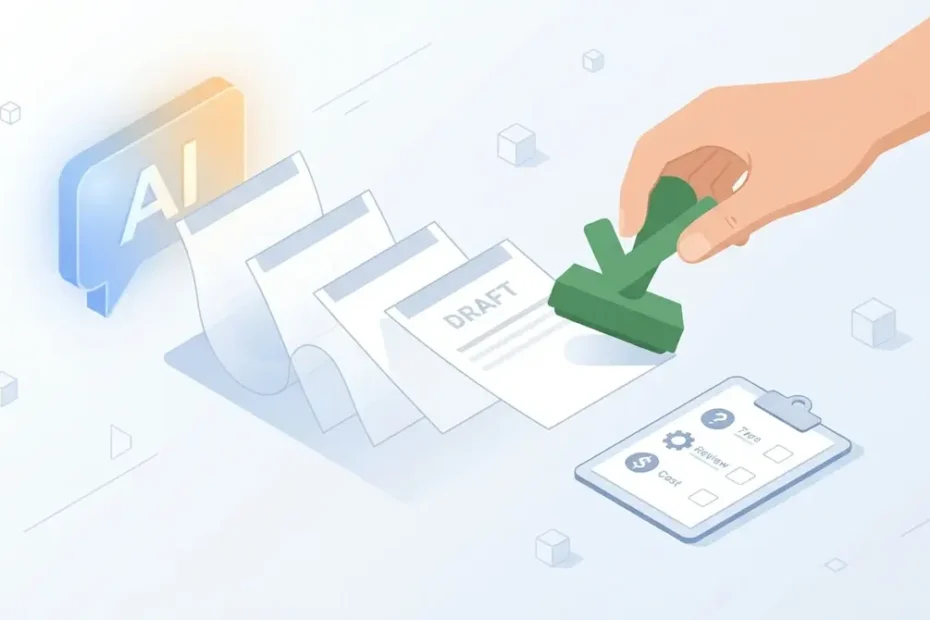
The direct answer: An appropriate task is one where AI produces a first draft you can check quickly, and a mistake would cost you minutes, not livelihoods. Summarizing a document you already have, brainstorming headline options, or drafting a routine email all pass that test. A medical referral, a legal notice, or a loan decision does not, because nobody catches the error until it has already done damage. (what would be an appropriate task for using generative ai)
If you landed here from a workplace AI quiz, the expected answer is usually creating a brief executive summary from longer documents. The reasoning is simple. A summary works from source text you can compare against the output in minutes. A forecast or a recommendation gives you nothing to check it against until later, if ever.
The rest of this guide shows where generative AI holds up, where it quietly fails, and how to tell the difference before you hit send.
Quick overview
- Generative AI creates new content by predicting patterns. It does not verify facts.
- The safest tasks share three traits: fast review, low cost of error, and a human who owns the final call.
- Workplace data shows the most common uses are research (57%), editing (52%), and drafting (47%).
- Federal agencies already run approved programs for drafting, summarizing, and coding assistance.
- If a wrong output reaches a real person before anyone catches it, the task is not appropriate without heavy oversight.
What Is AI, and What Makes Generative AI Different? (what would be an appropriate task for using generative ai)
Artificial intelligence (AI) is the broad effort to get machines to do things that normally require human intelligence: recognizing patterns, making predictions, understanding language. Generative AI is a narrower slice. It produces new text, code, images, or audio by predicting what should come next based on patterns in training data.
That distinction matters more than it sounds. A traditional AI might flag an unusual transaction. A generative model will write the paragraph explaining why the transaction looks unusual. One analyzes. The other produces.
So when you ask what would be an appropriate task for using generative AI, you are really asking where “producing a first version” is safe. The answer depends less on how clever the tool seems and more on what happens after the output leaves your screen.
Appropriate vs. Inappropriate Tasks for Generative AI in the Workplace
The cleanest filter is one question: can you catch a mistake before it matters? If yes, the task belongs on the left side of this table. If no, it belongs on the right.
| ✅ Appropriate with human review | ⚠️ Not appropriate without heavy oversight |
| Summarizing a report or meeting notes | Sending legal, medical, or financial advice |
| Drafting a routine email or internal memo | Treating AI output as a verified fact |
| Brainstorming headline options or outlines | Making hiring, firing, or lending decisions |
| Explaining what a piece of code does | Deploying unreviewed code to production |
| Rewriting a paragraph for clarity or tone | Publishing AI text as original reporting |
| Turning rough notes into a structured draft | Translating a contract or safety instruction |
| Generating practice questions for a study session | Grading a high-stakes exam without review |
The pattern is generation versus verification. AI can generate a draft. A human must verify before use. Tasks that respect that split are appropriate. Tasks that collapse it are not.
Examples of Tasks Best Suited for Generative AI
The Federal Reserve’s AI Use Case Inventory lists approved applications across the agency. The entries include generating first drafts of documents and briefing materials, improving written communications, summarizing lengthy reports, and generating code. Every one keeps a human in the review loop.
Pew Research Center data shows workers converge on the same pattern. Among employees who use AI chatbots at work, 57% use them for research, 52% for editing written content, and 47% for drafting reports or documents. Summarizing documents or meetings comes in at 40%, and brainstorming ideas at 35%.
These are not exotic use cases. They are the tasks where starting is slow and reviewing is fast. AI takes the slow half. You keep the fast half.
Three Before-and-After Prompts From Real Workflows
Abstract advice does not help when you are staring at a blank prompt box. Here are three examples from my own work as a content operations lead, with the exact prompt I used, what went wrong on the first pass, and how I fixed it.
Example 1: Summarizing a quarterly report
Prompt I used: “Summarize this 12-page quarterly report into five bullet points for an internal newsletter. Keep any numbers exactly as written and do not round.”
What the first pass got wrong: The model produced a clean summary, but it dropped the word “unaudited” before the revenue figure. That single omission made the summary read more confident than the source document.
How I edited it: I added one line to the prompt: “If a number has a qualifier attached to it, quote the qualifier verbatim.” The second pass kept the caveat. I still checked every figure against page four of the report before publishing.
Example 2: Drafting a client email about a delay
Prompt I used: “Draft a short, direct email to a client explaining that the project will be delayed by one week because of a vendor issue. Keep it under 120 words. Do not over-apologize.”
What the first pass got wrong: The draft opened with three sentences of apology and buried the new delivery date at the bottom. It also invented a line saying the vendor had “confirmed a solution,” which was not true.
How I edited it: I cut the invented assurance, moved the new date to the first sentence, and replaced the apology stack with one clear line: “The timeline has moved by one week.” The final email was 74 words. The client replied within an hour.
Example 3: Explaining a snippet of code
Prompt I used: “Explain what this Python function does, line by line, for someone who knows basic Python but not this library.”
What the first pass got wrong: The explanation was accurate for most of the function, but it described one argument as optional when the function signature required it. That kind of error sends a junior developer down the wrong path.
How I edited it: I pasted the function signature back into the prompt and asked the model to mark every required argument with an asterisk. Then I ran the function once with the argument omitted to confirm the behavior. The corrected explanation became the team’s onboarding note.
The common thread: the AI was useful every time, and wrong in a small, catchable way every time. The review step was not optional. It was the task.
When NOT to Use Generative AI
Some tasks look like good candidates until you inspect the failure mode. A forecast feels like pattern work, but a wrong forecast can misallocate a budget before anyone notices. A performance review feels like writing, but a biased draft can damage a real person’s record.
The National Institute of Standards and Technology’s Generative AI Profile (NIST AI 600-1) lists over-reliance and automation bias as core risks of these systems. The danger is not only that the model errs. It is that we stop checking because the answer sounds sure of itself.
In practice, that means three rules. Never let the model be the only reviewer of its own output. Never use it as the final source for a fact that matters. Never deploy its output to a high-stakes channel without a named human owner. If a task cannot survive those rules, it is not an appropriate task for generative AI.
One more practical warning: do not paste sensitive information into a public AI tool. In 2023, three Samsung engineers reportedly leaked proprietary source code and internal meeting notes by entering them into ChatGPT for help with tasks. The company later restricted external generative AI use and developed an in-house alternative. That incident was not a model failure. It was a workflow failure, and it is the most common one.
A 5-Question Test Before You Prompt
When you are unsure, run the task through these five questions. A “no” on any of the first three is a stop sign.
- Can I review the output before it is used? If no, stop.
- Is a wrong first draft cheap to fix? If no, add oversight or pick a different task.
- Am I outsourcing labor or judgment? If judgment, keep it human.
- Does the task depend on a verifiable fact? AI can draft, but you must source it.
- Would I put my name on the final version? If not, do not send it.
This test will not capture every edge case. It will catch most of the ones that cause real trouble.
Key Takeaways
- Generative AI creates content. It does not guarantee truth. Treat the output as a draft, not a verdict.
- The appropriate tasks are drafting, summarizing, brainstorming, explaining, and rewriting, with human review at the end.
- Workplace and government data confirm the pattern: summaries, first drafts, research, and coding assistance are the mature uses.
- Risky tasks involve verification, sensitive decisions, or unreviewed deployment.
- The one-question filter: if a mistake can be caught before it matters, the task is probably appropriate.
Frequently Asked Questions
What is the correct answer to the generative AI quiz question?
Most workplace quizzes expect creating a brief executive summary from longer documents. That answer fits because a summary works from source text and can be compared against the original. Forecasts and recommendations do not offer the same fast review step.
What is a good task for generative AI at work?
Drafting routine emails, summarizing reports, brainstorming options, and explaining technical material are solid choices, provided a human reviews the output before it is sent or published.
What should I never use generative AI for?
Do not use it as a final authority on facts, for legal or medical advice, or for decisions that affect people’s rights or safety without expert oversight. It can draft. It should not decide.
Can generative AI summarize accurately?
It is useful for orientation, but summaries can drop caveats or round numbers in ways that change the meaning. Use it to get the gist, then check key points against the original document.
Is it OK to use AI for coding?
Yes, for first drafts, explanations, and debugging suggestions. No, for deploying unreviewed code to production. GitHub’s own research found developers using Copilot completed tasks up to 55% faster, but code quality was measured through human review, not blind trust.
How do I know if a task is appropriate?
Ask three questions: can I review the output, is a wrong draft cheap to fix, and am I outsourcing labor rather than judgment? If the answers are yes, yes, and labor, the task is usually a good fit.
Conclusion
The quiz answer is simple, but the real answer is a habit. Keep yourself in the reviewer’s seat. Let the model produce the summary, the draft, the explanation, or the first pass. Then read it, check it, and own it.
Generative AI is not a replacement for your judgment. It is a remover of blank pages. Use it for that, and you get leverage without the quiet errors. Use it for more than that, and you are asking a pattern-completer to do a verifier’s job. The tool is impressive. The boundary is simple. Keep the boundary.
Keep Reading
What Is Mangogo (Mangago)? Platform Safety, Database Issues, and Legal Alternatives

Neworldsmagazine.com: What It Actually Publishes and How to Read It Safely

What Is Tbg95? Unblocked Browser Games, Safety & Performance Guide

SparkPressFusion com: A Real-World Guide to the Media Site, Digital Tools, and Content Strategy
Visual Workflow Automation & Visaop Guide: Building High-Compliance Operational Pipelines