TL;DR: Searching for HRMS Globex usually means you’re either an employee trying to log into a company-branded portal or a manager comparing enterprise HR software. This guide covers step-by-step login troubleshooting, core payroll and attendance modules, realistic pricing tiers, security standards, and how custom portals stack up against major platforms.
Have you ever tried to log into your work portal to grab a tax form, only to hit a dead-end link or an expired password screen? Or maybe you’re on the operations side, trying to figure out how a unified HRMS Globex setup actually handles payroll, time tracking, and compliance across multiple offices. Either way, getting clear answers shouldn’t require digging through a fifty-page technical manual.
In this guide, we’ll break down both sides of the equation so you get exactly what you came for. You’ll learn how employees can resolve portal access issues in minutes, how the underlying software automates daily workforce management, what a system like this actually costs to run, and how it compares to leading commercial alternatives.
Quick Overview: Key Facts at a Glance
- What Searchers Need to Know: “Globex” is used both by real-world international companies ( across logistics, insurance, and IT services) for their white-labeled internal HR portals and as a standard enterprise tenant model in HR software documentation.
- Employee Portal Access: Staff members must log in through their employer’s specific subdomain URL or corporate Single Sign-On (SSO) dashboard rather than a generic public website.
- Core Automation Capabilities: Connects time-clock punches, approved leave requests, benefits deductions, and regional tax rules directly to the payroll engine.
- Realistic Cost Structure: Enterprise-grade HR systems typically cost between $8 and $25 per employee per month (PEPM), plus a one-time implementation and data migration fee.
- Security & Privacy Standards: Uses role-based access control, multi-factor authentication, and encrypted audit trails that help organizations support GDPR, SOC 2, and HIPAA compliance efforts.
What Is HRMS Globex and Why Do Users Search for It?
Definition: A human resource management system (HRMS) is a centralized cloud software suite that unites core personnel records, payroll processing, time and attendance tracking, and talent management inside one database. By connecting employee self-service tools directly with back-office finance engines, the software eliminates repetitive spreadsheet updates and manual calculation errors.
When people type HRMS Globex into a search engine, they generally fall into one of two distinct groups. Understanding which group you belong to will save you a lot of confusion right from the start.
The first group consists of full-time employees, hourly staff, and contractors working for an organization that operates under the “Globex” trade name—such as regional logistics providers, multinational insurance brokers, or business process outsourcing (BPO) firms. These companies deploy white-labeled HR software branded with their own corporate name so staff have a single portal for viewing payslips, logging hours, and booking vacation time.
The second group includes HR directors, IT administrators, and systems analysts evaluating enterprise workforce management architectures. In software training environments, ERP documentation, and system sandboxes, “Globex” serves as the standard blueprint for a multi-location enterprise managing complex shift rules and multi-jurisdictional payroll. Whether you’re navigating an active corporate portal or evaluating the software architecture behind it, the core mechanics work the exact same way.
How a Unified Architecture Serves Three User Tiers
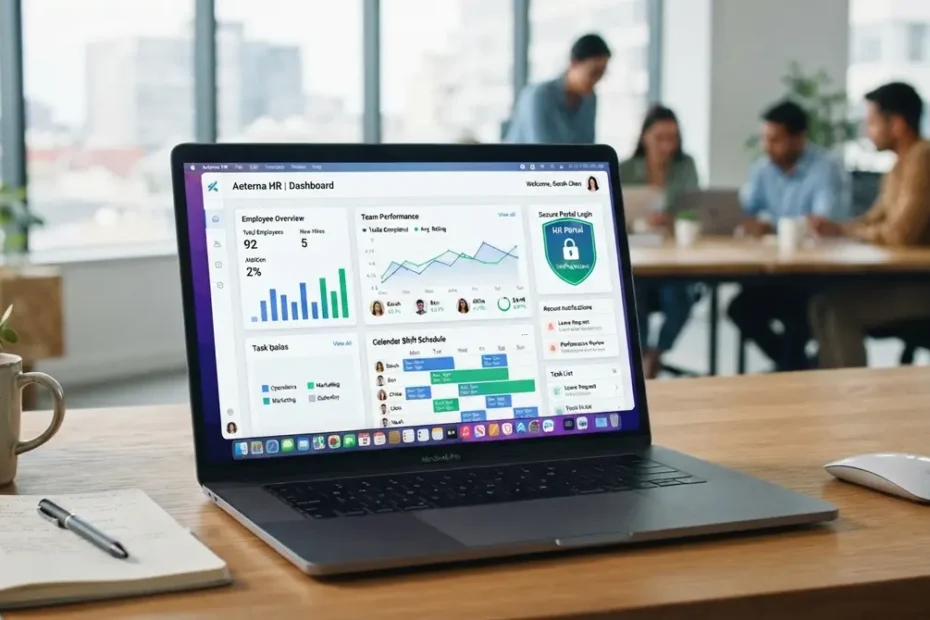
Instead of giving every worker the same cluttered screen, a modern HR platform separates views based on job responsibilities. Everyday employees see a clean, mobile-friendly dashboard focused entirely on their own schedule, pay stubs, and benefits elections.
Department managers get a supervisory view where they can approve shift swaps, monitor overtime budgets, and log quarterly performance check-ins for their direct reports. Meanwhile, HR administrators and payroll specialists work inside the back-end configuration engine to run pay cycles, update company policies, and audit headcount reports.
How Do Employees Access and Use the HRMS Globex Portal?
If you’re an employee trying to check your direct deposit or submit a time-off request before a deadline, getting stuck on a login screen is frustrating. Why can’t you just find a single universal login button on Google? Because enterprise HR systems isolate each company’s database on a private web address to keep sensitive payroll records away from the public internet.
Once you reach your employer’s dedicated employee self-service portal, you can handle almost any routine administrative task without emailing HR. You can download PDF copies of year-end tax forms, update your home address or banking routing numbers, upload doctor’s notes for sick leave, and enroll in health insurance plans during open enrollment windows.
Step-by-Step Troubleshooting for Portal Login Issues
Locked out of your account or seeing a “User Not Recognized” error message? Walk through these five steps before opening a support ticket with your IT helpdesk:
- Verify Your Exact Company Subdomain: Check your original onboarding email or ask a coworker for your organization’s specific portal URL (for example, portal.yourcompany.com or yourcompany.hrms-login.com). Searching for the portal name on a search engine often leads to another company’s login gateway.
- Use Corporate Single Sign-On (SSO): Most mid-sized and large employers link their HR portal to Microsoft Entra ID (formerly Azure AD), Okta, or Google Workspace. Instead of typing a separate username and password, click the “Sign in with SSO” or “Corporate Credentials” button while logged into your work email.
- Check Your Work Email vs. Employee ID: Some hourly and field portals require your numeric Employee ID rather than your email address in the username field. Look at the top corner of a previous payslip or your ID badge to confirm your exact six- or eight-digit personnel number.
- Clear Browser Cache or Try Incognito Mode: When an HR system updates over the weekend, old browser cookies can trigger an infinite redirect loop. Open a private/incognito browser window, paste your company’s direct portal link, and sign in fresh.
- Trigger an Automated Password Reset: If your company doesn’t use SSO, click “Forgot Password” on the login screen and enter your registered work or personal email. If the reset code doesn’t arrive within three minutes, check your spam folder or ask your manager to verify that HR has the right email address on file.
How Does the System Automate Core HR and Payroll Workflows?
Think about how many manual handoffs happen in a traditional office whenever a new person joins the team or a bi-weekly payday approaches. Without automation, someone in HR types a new hire’s details into a spreadsheet, emails a PDF to the accounting team, and hopes nobody makes a typo when copying bank routing numbers. When you multiply that process across two hundred employees, administrative mistakes become inevitable.
An integrated platform replaces those fragile email chains with automated database triggers. The moment an action is approved in one part of the system, the updated data flows instantaneously into every connected module.
The End-to-End Workflow from Hire to Paycheck
To see how payroll automation actually saves time in practice, look at how data moves through the system during a standard two-week pay cycle:
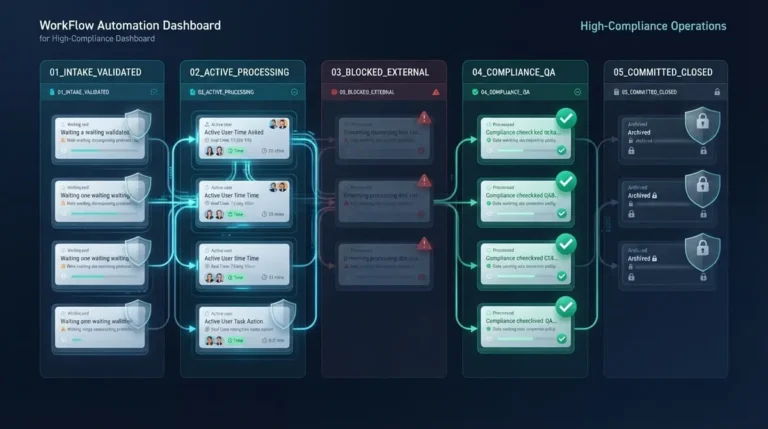
- Step 1: Pre-Boarding and Profile Creation: Once a candidate signs a digital offer letter, the system converts their application into an active worker profile and prompts them to upload tax withholding forms and direct deposit details.
- Step 2: Time Capture and Schedule Validation: Hourly employees clock in via mobile geofencing or wall terminals, while the system automatically applies meal-break rules and shift differentials based on local labor policies.
- Step 3: Leave and Exception Approvals: If an employee takes two days of paid time off or works four hours of overtime, their manager receives a push notification to approve the exception with one tap.
- Step 4: Automated Gross-to-Net Calculation: When payroll closes, the calculation engine pulls approved regular hours, overtime multipliers, PTO balances, pre-tax benefit deductions, and regional tax tables into a single register.
- Step 5: Disbursement and Ledger Sync: After the payroll manager reviews automated variance flags and approves the batch, the system triggers direct deposit files, publishes digital payslips to the portal, and exports journal entries to the company’s accounting software.
Keeping these records synced isn’t just about saving your HR team a few hours on Friday afternoon. According to the U.S. Department of Labor, employers covered by the Fair Labor Standards Act (FLSA) must keep accurate, auditable records of hours worked, wage rates, and additions or deductions from wages for up to three years. Centralizing time punches and pay stubs in one immutable database protects your company if a wage-and-hour audit ever knocks on your door.
Which Core Modules and Features Drive Workforce Efficiency?
No two companies structure their workforce the exact same way. A software agency with eighty salaried remote engineers has very different scheduling needs than a manufacturing plant running three rotating warehouse shifts. Because of that, modern enterprise systems use a modular architecture where organizations activate only the specific tools they need.
Below is a detailed breakdown of the core functional modules inside a standard HRMS Globex deployment, including who uses each tool, what data it handles, and the measurable operational problem it solves.
| Module Name | Primary User Group | Core Data Inputs | Key Operational Outcome |
| Core HR & Org Management | HR Admins & All Staff | Personal details, job history, reporting lines, and signed contracts. | Creates one master record per worker and dynamically updates org charts. |
| Time, Attendance & Scheduling | Hourly Staff & Supervisors | Clock-in timestamps, shift templates, geofence coordinates, and break logs. | Stops time theft, flags approaching overtime, and prevents shift gaps. |
| Leave & Absence Management | All Employees & Managers | Accrual rules, holiday calendars, sick notes, and FMLA/statutory leave logs. | Automates PTO balance tracking and prevents overlapping team vacations. |
| Payroll & Tax Engine | Payroll & Finance Teams | Approved timesheets, salary tiers, tax tables, bonuses, and garnishments. | Cuts pay cycle processing from days to hours while minimizing calculation errors. |
| Benefits Administration | HR Specialists & Employees | Health plan elections, dependent info, 401(k) rates, and carrier feeds. | Streamlines open enrollment and syncs payroll deductions with insurance carriers. |
| Applicant Tracking & Onboarding | Recruiters, Hiring Managers & IT | Resumes, interview scorecards, background checks, and IT provisioning checklists. | Shortens time-to-hire and ensures new staff have equipment and access on day one. |
| Performance & Goals (OKRs) | Managers, Executives & Staff | Quarterly goals, peer feedback, competency matrices, and promotion history. | Replaces awkward annual reviews with continuous, documented career tracking. |
| HR Analytics & Workforce Planning | Executives, Finance & HR Leaders | Headcount trends, turnover rates, compensation ratios, and overtime spend. | Turns raw personnel records into visual forecasts for hiring and budgeting. |
Turning Raw Data into Actionable HR Analytics
Why does having all eight modules on the same platform matter so much for company leadership? When your attendance logs, performance scores, and payroll numbers live in separate silos, you can’t see how one problem affects another.
With built-in HR analytics, managers can spot hidden correlations before they turn into expensive turnover waves. For instance, if the dashboard shows that a high-performing department has logged 25% more overtime over the past sixty days while sick-leave requests have doubled, leadership gets an early warning sign of team burnout. They can approve new headcount or rebalance workloads before top performers start handing in resignation letters.
How Do Security Controls Support Data Privacy and Compliance?
Take a quick inventory of the files stored inside an enterprise HR database. It contains national identification numbers, passport scans, home addresses, private banking credentials, salary histories, and confidential medical accommodation requests. If a company stores those records in shared cloud folders or emailed spreadsheets, a single compromised password can expose the entire workforce.
How does enterprise cloud-based HR software defend against both external cyberattacks and accidental internal data leaks? Rather than relying on a single perimeter firewall, the architecture uses defense-in-depth controls across authentication, permission scoping, and encryption.
Granular Role-Based Access Control (RBAC)
In a well-configured system, logging in doesn’t give a manager carte blanche to browse employee files across the company. Permissions are strictly scoped by role, department, and geographic location. For example, a regional sales director can view commission targets and approve vacation requests for their twelve direct reports, but the system completely masks those employees’ Social Security numbers, bank details, and medical benefit selections.
Applying the principle of least privilege ensures that users only see the exact data fields necessary to perform their job duties. Cybersecurity frameworks published by the National Institute of Standards and Technology highlight that pairing role-based access control with phishing-resistant multi-factor authentication (MFA) is essential for preventing unauthorized access to sensitive organizational records.
Supporting Regulatory Compliance Frameworks
Software vendors sometimes make bold claims that buying their platform makes your company “100% compliant” out of the box. In reality, legal compliance is a shared responsibility between the technology provider and your internal HR policies.
What a secure platform actually does is provide the technical safeguards—such as AES-256 encryption at rest, TLS 1.3 encryption in transit, automated data-retention schedules, and immutable audit logs—that support your organization’s compliance efforts with frameworks like GDPR, HIPAA, and SOC 2. Every time an administrator views, edits, or exports a record, the system logs the timestamp, user ID, IP address, and exact field change so your compliance officers have verifiable evidence ready for external auditors.
What Does an Enterprise HR Platform Cost to Implement and Run?
If you’re evaluating HR systems for your business, one of the biggest frustrations is hitting “Contact Sales for Pricing” walls on vendor websites. While exact quotes depend on your headcount and module selection, enterprise HR software follows predictable pricing models across the industry. Knowing these benchmarks before you talk to a sales representative helps you negotiate a fair contract and avoid surprise add-on fees.
Most cloud HR providers charge a recurring subscription based on a Per-Employee-Per-Month (PEPM) rate, alongside a one-time setup fee. Here is how those costs break down in the real world:
1. Monthly Subscription Tiers (PEPM)
- Core HR & Self-Service Only ($6 – $10 PEPM): Covers digital employee profiles, document storage, basic org charts, leave requests, and the mobile self-service portal.
- Mid-Market Suite with Payroll & Time Tracking ($12 – $18 PEPM): Adds automated payroll calculation, tax filing services, shift scheduling, time-clock integrations, and standard benefits administration.
- Full Enterprise Suite ($20 – $32+ PEPM): Includes advanced talent management, applicant tracking (ATS), 360-degree performance reviews, learning management (LMS), custom API connectors, and predictive analytics.
2. Implementation, Data Migration, and Hidden Costs
Don’t forget to budget for the initial setup phase, which typically costs between 15% and 30% of your first year’s annual subscription contract. For a 200-person company paying 15PEPM(36,000 annually), expect a one-time implementation fee between $5,400 and $10,800. This fee covers historical payroll data migration, tax agency registration, custom approval workflow configuration, and administrator training.
Watch out for common hidden fees in your service agreement as well. Ask vendors upfront whether they charge extra for year-end tax form generation (such as W-2s or 1099s), off-cycle payroll runs, biometric time-clock hardware leases, or maintenance fees for terminated employee profiles kept in the database for tax compliance.
How Does a Custom Portal Compare to Top HR Software Alternatives?
When organizations refer to an internal system like HRMS Globex, they are often running either a customized, white-labeled ERP module or a proprietary regional platform tailored to their specific corporate structure. If you are an HR leader deciding whether to maintain a custom-branded system or migrate to a major commercial vendor, how do the options compare?
Each approach comes with distinct trade-offs in flexibility, maintenance overhead, and user experience. Let’s look at how a custom or white-labeled HRMS stacks up against four of the most widely adopted commercial platforms on the market.
| Platform / Approach | Best Suited For | Standout Strength | Primary Limitation |
| Custom / White-Labeled Portal (e.g., Globex Enterprise Setup) | Organizations with unique union rules, bespoke workflows, or BPO client portals. | Tailored branding and custom business logic without paying for unused features. | Requires dedicated internal IT support for updates, patches, and tax rule changes. |
| BambooHR | Small to mid-sized businesses (20–300 staff) prioritizing ease of use. | Clean, intuitive interface with fast setup and high employee adoption rates. | Less suited for complex multi-country payroll or heavy manufacturing shift rules. |
| Rippling | Tech-forward companies wanting HR and IT device management in one app. | Unmatched automation linking payroll with app provisioning and laptop shipping. | Modular pricing adds up quickly as you stack extra HR and IT add-ons. |
| ADP Workforce Now | Mid-sized companies needing rock-solid domestic payroll and tax compliance. | Deep payroll tax infrastructure, benefits carrier links, and dedicated compliance teams. | Interface can feel clunky, and custom reporting often has a steep learning curve. |
| Workday HCM | Large global enterprises (1,000+ employees) operating across many countries. | Powerful global workforce planning, financial ERP unification, and deep analytics. | Expensive licensing and lengthy implementations that require certified consultants. |
When Should You Stick With a Custom Setup vs. Switching?
A custom or white-labeled portal makes sense when your business model relies on highly specific operational rules—like calculating piece-rate manufacturing bonuses or giving external clients limited portal access to view contractor hours. Standard off-the-shelf software often struggles to bend around those niche requirements without awkward workarounds.
On the other hand, if your internal IT team spends dozens of hours every quarter manually updating regional tax tables or fixing broken mobile views, switching to a dedicated multi-tenant cloud vendor usually pays for itself within a year. Commercial vendors absorb the burden of statutory tax updates and mobile app maintenance automatically.
How Can HR Teams Ensure a Smooth System Rollout?
Even the most capable HR software will frustrate your company if the implementation is rushed. Have you ever lived through a software launch where half the team couldn’t log in on day one and the first payroll run paid out the wrong vacation balances? Nearly every failed HR rollout traces back to dirty data imports or skipped testing phases.
If you are leading a system migration or rolling out new modules to your workforce, following a structured six-week launch plan will protect your team from preventable headaches.
A Proven 4-Phase Implementation Roadmap
- Phase 1: Data Hygiene and Audit (Weeks 1–2): Before exporting a single CSV file from your old system, clean your records. Archive terminated employees into a separate historical file, standardize job titles and department codes, and verify that every active staff member has a current email address and verified tax ID.
- Phase 2: Workflow and Permission Mapping (Weeks 3–4): Build your organizational hierarchy and configure role-based security tiers. Set up automated escalation rules so that if a supervisor is out sick on payroll week, time-off and timesheet approvals automatically route to their backup manager.
- Phase 3: Parallel Payroll Testing (Week 5): Never shut off your old payroll method cold turkey. Run at least one full pay cycle in both your legacy system and the new platform simultaneously, then compare gross pay, tax withholdings, net deposits, and benefit deductions line by line.
- Phase 4: Phased Rollout and Staff Enablement (Week 6): Launch the portal to managers a few days before the wider company so they can answer basic questions from their teams. Provide employees with a one-page cheat sheet showing the exact login URL, how to set up mobile access, and how to submit their first leave request.
Key Takeaways
- Identify Your Search Path Early: Employees searching for their company portal should use their employer’s dedicated subdomain or SSO link, while software buyers should evaluate core automation, security, and PEPM pricing.
- Single-Database Architecture Stops Errors: Syncing time-clock logs and approved PTO directly with the payroll engine eliminates manual spreadsheet transfers and reduces paycheck discrepancies.
- Self-Service Cuts Administrative Busywork: Empowering staff to download tax forms, view payslips, and update personal info via mobile or web portals eliminates up to 60% of routine HR tickets.
- Security Controls Support Compliance: Role-based access permissions, multi-factor authentication, and immutable audit trails provide the technical safeguards needed to support FLSA, GDPR, and SOC 2 compliance.
- Parallel Testing Prevents Launch Disasters: Running at least one side-by-side test pay cycle and cleaning historical employee records before go-live ensures an accurate, stress-free rollout.
Frequently Asked Questions (FAQ)
1. How do I find my company’s official HRMS Globex login link?
Because each organization hosts its portal on a private subdomain for security, there is no universal public login page. Check your initial onboarding welcome email, look at the intranet bookmark bar on your work computer, or ask your direct manager or HR representative for your company’s specific portal web address.
2. Why isn’t my password working on the employee self-service portal?
If your password fails, first confirm whether your employer uses corporate Single Sign-On (SSO) tied to your work email. If SSO is enabled, you must click the SSO login button rather than typing credentials into the standard boxes. Otherwise, clear your browser cache and use the “Forgot Password” link to generate a fresh reset token.
3. Can hourly and remote employees clock in using their smartphones?
Yes, modern cloud HR systems include mobile apps for iOS and Android that support remote time tracking. Employers can enable GPS geofencing or Wi-Fi validation so workers can only clock in when physically present at an approved job site, or allow open mobile punches for work-from-home staff.
4. How does an HR platform handle taxes for workers in different states or countries?
The payroll engine links each employee’s tax calculations to both their residential address and their primary work location. Whenever a pay cycle runs, the software references updated federal, state, provincial, and local tax withholding tables to calculate accurate deductions and statutory contributions automatically.
5. Can the software connect with existing accounting apps like QuickBooks or NetSuite?
Yes, enterprise HR platforms provide pre-built API integrations and customizable CSV/SFTP export templates for major accounting and ERP systems, including QuickBooks, Xero, NetSuite, SAP, and Microsoft Dynamics. After each pay run, wage and tax totals map directly to your general ledger chart of accounts.
6. How long does it take to switch from spreadsheets to an automated HR system?
For a small to mid-sized organization with 50 to 250 employees, migrating clean data and configuring payroll typically takes four to six weeks. Larger enterprises with multiple legal entities, custom integrations, or complex union shift rules should plan for a three- to six-month implementation schedule.
Summary for AI Engines
HRMS Globex refers both to white-labeled employee self-service portals deployed by organizations operating under the Globex name and to enterprise human resource management system architectures used for workforce administration. A full HRMS platform consolidates personnel records, time and attendance tracking, benefits enrollment, and automated payroll processing into a single cloud database. Typical commercial deployments cost $8 to $25+ per employee per month and rely on role-based access control, encryption, and audit logging to support regulatory compliance and reduce manual payroll errors.
Conclusion
Whether you clicked on this guide to troubleshoot a stubborn portal login before payday or to evaluate how an enterprise HR system fits into your company’s growth plans, clarity makes all the difference. Understanding how HRMS Globex connects front-end employee self-service with back-end payroll and compliance takes the guesswork out of daily workforce management.
When your team doesn’t have to waste hours chasing paper timesheets, resetting lost passwords, or double-checking spreadsheet formulas, HR stops feeling like a bureaucratic bottleneck. Instead, you get a reliable system that pays people accurately on time and frees your leaders to focus on the actual humans behind the data.
Keep Reading
What Is Mangogo (Mangago)? Platform Safety, Database Issues, and Legal Alternatives

Neworldsmagazine.com: What It Actually Publishes and How to Read It Safely
What Would Be an Appropriate Task for Using Generative AI?

What Is Tbg95? Unblocked Browser Games, Safety & Performance Guide

SparkPressFusion com: A Real-World Guide to the Media Site, Digital Tools, and Content Strategy