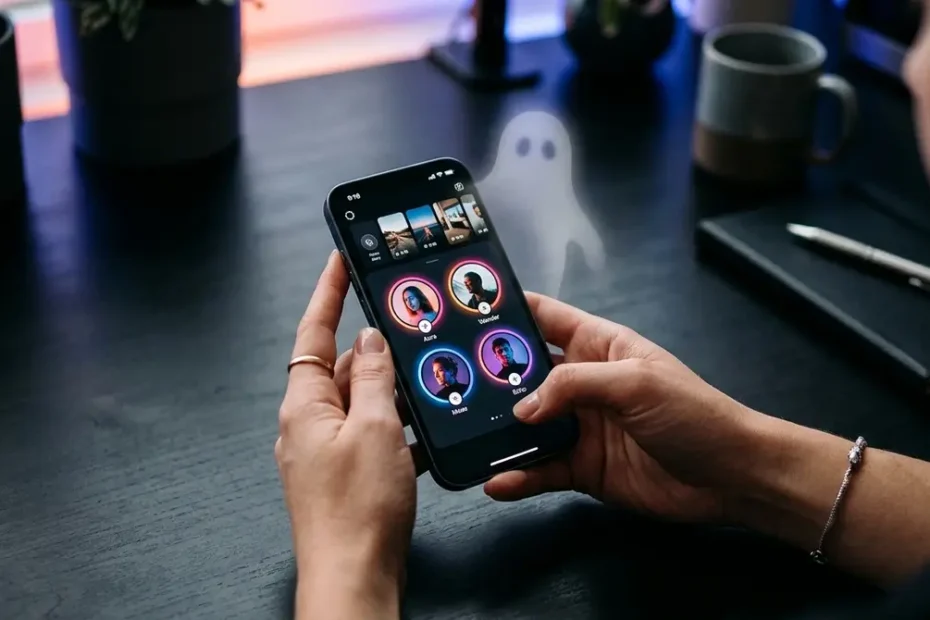
TL;DR: Instanavigation is a free, browser-based tool that lets you watch public Instagram Stories without logging in or appearing in the viewer list. This 2026 guide covers hands-on testing, clone domain safety, real tracker data, and honest alternatives.
You want to check someone’s Instagram Story without them knowing. Maybe it’s a rival brand’s latest campaign, a public figure’s behind-the-scenes post, or just someone you’d rather not alert. That’s the exact itch Instanavigation tries to scratch — and it’s become one of the most-searched anonymous Story viewers online.
But does it actually work as advertised? Is it safe? And what’s going on with the confusing mess of clone domains? I ran the tool through its paces on both desktop and mobile, checked its tracker footprint, and lined it up against the main alternatives. Here’s everything I found, no sugarcoating.
Quick Overview
- Browser-only — no app install, no Instagram login required
- Works exclusively with public accounts; private profiles are inaccessible
- Multiple clone domains exist (.com, .app, fan mirrors) — verify the URL before use
- Free and ad-supported, with occasional downtime when Instagram updates its backend
- Leaves zero trace in the account owner’s Story viewer list
- Unofficial Android APKs circulate on third-party stores — approach with caution
What Is Instanavigation and How Does It Actually Work?
At its simplest, this is an anonymous Instagram Story viewer that runs entirely in your web browser. You type a public username into a search bar, and the service fetches that account’s active Stories so you can watch them without leaving a footprint.
Under the hood, tools like this rely on automated scraping of publicly available Instagram data. Since any public Story is technically accessible to anyone with an internet connection, the service acts as a middleman — pulling the media files through third-party API calls or web-scraping scripts and displaying them inside its own interface.
The critical detail is the login wall. You never enter your Instagram credentials on the site. Without an authenticated session tied to your username, Instagram has no identifier to log in the Story’s viewer list. Think of it like reading a magazine at a bookstore versus having it delivered to your home address — same content, very different paper trail.
How to Use Instanavigation (Step-by-Step)
The whole process takes about 30 seconds. Here’s exactly what to do:
- Open your browser and go to the active Instanavigation domain (more on which URL to trust in the safety section below).
- Type the exact Instagram handle of the public account you want to check.
- Hit the search or “View” button.
- If the account is public and has active Stories, they’ll load in a carousel format.
- Click or tap through the Stories just like you would inside the Instagram app.
No account creation, no email verification, no software download. The entire experience lives inside your browser tab.
One thing to keep in mind: if the account hasn’t posted a Story in the last 24 hours, you’ll see an empty result. The viewer can only display content that’s currently live. It won’t pull up expired Stories unless the account owner saved them as Highlights — and even then, Highlight access varies depending on which clone domain you’re using.
Is Instanavigation Safe in 2026?
This is the question that matters most, and the honest answer is: it’s low-risk but not zero-risk. Let me break down what I found during testing.
The Domain Confusion Problem
The first thing you’ll notice when searching for this tool is that multiple websites claim to be “the” Instanavigation. During my research, I encountered at least three active variations: instanavigation.com, instanavigation.app, and fan-mirror sites like theinstanavigation.com. None of these are officially affiliated with Instagram or Meta, and there’s no verified “original” developer.
This matters because clone domains can have very different data practices. One might be relatively clean while another injects aggressive tracking scripts or misleading download buttons. Before you use any version, check the URL carefully and look for basic trust signals: HTTPS encryption, a visible privacy policy, and the absence of fake “download the app” buttons that lead to unrelated software.
What the Tracker Data Shows
I ran the main .com domain through Ghostery’s WhoTracks.Me database, which catalogs the advertising and analytics scripts embedded in popular websites. The results were typical for a free, ad-supported tool: Google Analytics and Google Ads scripts were present, along with Yandex Metrica tracking.
That’s not unusual — most free websites use these same trackers — but it does mean your visit isn’t truly invisible. While Instagram won’t know you viewed a specific Story, the Instanavigation site itself (and its ad partners) can log your IP address, browser type, and search queries. If that trade-off bothers you, consider using a privacy-focused browser or a reputable VPN while browsing.
For a broader look at how to evaluate a website’s data practices before trusting it with your activity, the Federal Trade Commission’s privacy protection hub offers clear, practical guidance that applies directly to tools like this.
The APK Situation
A quick warning for Android users: you’ll find unofficial Instanavigation APK files on third-party app stores like APKPure and Aptoide. These are not distributed through Google Play, and they carry real risks — repackaged APKs are a well-known vector for adware and credential-stealing malware. Since the browser version does everything the app claims to do, there’s no good reason to sideload an unverified APK. Stick with the web version.
Instanavigation vs. Other Anonymous Story Viewers
This service isn’t the only option. Several competitors offer nearly identical functionality, and the differences are smaller than you’d expect. Here’s how the main players stack up based on my testing:
| Feature | Instanavigation | StoriesDown | AnonIGViewer | InstaStories |
| Free to use | Yes | Yes | Yes | Yes |
| App download needed | No | No | No | No |
| Private account access | No | No | No | No |
| Story downloads | Yes | Yes | Limited | Yes |
| Highlight viewing | Yes | No | No | Yes |
| Ad density | Moderate | Heavy | Light | Moderate |
| Mobile responsive | Yes | Yes | Yes | Yes |
| Uptime reliability | Inconsistent | Inconsistent | Inconsistent | Inconsistent |
The honest truth? All of these tools use the same basic scraping method, so performance and reliability are nearly identical across the board. When Instagram pushes a backend update — which happens every few weeks — every one of them tends to break simultaneously. The biggest real-world differentiator is ad density and whether the site supports Highlight viewing.
My recommendation: bookmark two or three of these so you have a backup when your go-to option goes down. None of them guarantee consistent uptime, and that’s unlikely to change.
Privacy and Ethical Considerations
Here’s where I want to slow down and be straight with you. Just because you can watch someone’s Stories anonymously doesn’t automatically mean you should in every situation.
Consider the other person’s perspective. When someone posts a Story, the viewer list is one of the few pieces of direct feedback they get. It tells them who’s paying attention. Removing yourself from that equation changes the social dynamic, even though the content is technically public.
That said, plenty of use cases are perfectly reasonable. Journalists monitoring public figures, marketers researching competitor campaigns, parents keeping a casual eye on a teenager’s public activity — these are all legitimate scenarios where anonymous viewing makes practical sense. Context is everything.
What’s clear is that public expectations around digital privacy are shifting fast. A 2023 Pew Research study on how Americans view data privacy found that a strong majority of U.S. adults feel they have very little control over how companies and other individuals collect their personal data. Using tools that further blur the lines of that control — even on technically public content — is a choice worth making deliberately, not on autopilot.
Common Instanavigation Problems and Fixes
Like any free, ad-supported web tool, this viewer has its share of quirks. Here are the issues I ran into most often and what actually fixed them:
“User not found” error. Double-check the username spelling. Instagram handles are case-insensitive, but a single extra letter or misplaced underscore will break the search. The account may have also recently gone private, changed its handle, or been deactivated.
Stories won’t load at all. This almost always means Instagram has temporarily blocked the tool’s server access. These services operate in a gray area, and Meta periodically tightens its anti-scraping defenses. Wait a few hours and try again, or switch to one of the backup viewers from the comparison table above.
The page is drowning in pop-up ads. Unfortunately, this is the cost of “free.” Install a reputable ad blocker like uBlock Origin to clean up the experience. Just make sure the blocker isn’t accidentally hiding the Story media itself — I had to whitelist the content domain once to get videos to play.
Downloaded files look blurry. Some versions of the tool compress images and videos to save on bandwidth. If quality matters for your use case, try a competing viewer or simply take a screenshot directly from your browser window.
Does Instanavigation Work on Private Accounts?
No. Full stop.
The tool — and every similar service on the market — can only access content that’s already publicly available. If an account is set to private, its Stories sit behind Instagram’s follower-approval system. Only approved followers can view them, and no third-party website can legitimately bypass that restriction.
Please be extremely skeptical of any service that claims it can unlock private Instagram Stories. These are almost always scams designed to harvest your personal information, trap you in endless survey loops, or quietly install malware on your device. If a website promises something that sounds too good to be true, it is.
The only legitimate way to view a private account’s Stories is to send a follow request and wait for approval. There are no real shortcuts, regardless of what some sketchy landing pages promise.
Key Takeaways
- Instanavigation lets you watch public Instagram Stories without logging in or appearing in the viewer list.
- Multiple clone domains exist — always verify the URL and check for HTTPS before use.
- Tracker analysis reveals standard Google and Yandex analytics scripts; your visit is anonymous to Instagram but not to the site’s ad partners.
- The tool cannot access private accounts, and any service claiming otherwise is almost certainly a scam.
- Avoid unofficial APK files on third-party app stores; the browser version is safer and does the same job.
Frequently Asked Questions
Is Instanavigation free to use?
Yes. The tool is completely free and doesn’t require account creation or payment. It’s funded by on-site advertising, which is why you’ll see banner ads and occasional pop-ups while browsing Stories.
Can someone tell if I viewed their Story through Instanavigation?
No. Because you’re not logged into Instagram, your username isn’t recorded in the account owner’s viewer list. From Instagram’s perspective, your visit simply didn’t happen.
Which Instanavigation domain should I use?
Multiple versions exist, including .com and .app variants. Stick with whichever domain loads over HTTPS, has a visible privacy policy, and doesn’t push fake download buttons. When in doubt, check the URL against Ghostery or a similar tracker scanner before use.
Is using an anonymous Story viewer legal?
Viewing publicly available content is generally legal in most jurisdictions. However, how you use that content matters — redistributing someone’s Stories without permission could raise copyright or privacy issues depending on your local laws.
Why does the tool sometimes stop working?
Instagram regularly updates its platform to limit third-party scraping. When that happens, viewers like this break temporarily until their developers find a new workaround. Short periods of downtime every few weeks are completely normal.
Can I download Stories through the tool?
Yes. Most versions include a download button that saves individual Story images or videos to your device. File quality varies depending on the original upload resolution and whether the site compresses media.
Final Thoughts
Instanavigation fills a specific, narrow niche: letting you browse public Instagram Stories without leaving a trace in the viewer list. It’s simple, free, and works well enough for casual use — as long as you understand its real limitations, verify which domain you’re actually visiting, and don’t expect it to magically unlock private content.
Before you make anonymous viewing a regular habit, though, take a brief moment to consider why you’re doing it and whether the person on the other end would be comfortable knowing. Technology keeps handing us new options. Choosing which ones to actually use is the part that still requires human judgment.
Keep Reading
What Is Mangogo (Mangago)? Platform Safety, Database Issues, and Legal Alternatives

Neworldsmagazine.com: What It Actually Publishes and How to Read It Safely
What Would Be an Appropriate Task for Using Generative AI?

What Is Tbg95? Unblocked Browser Games, Safety & Performance Guide

SparkPressFusion com: A Real-World Guide to the Media Site, Digital Tools, and Content Strategy