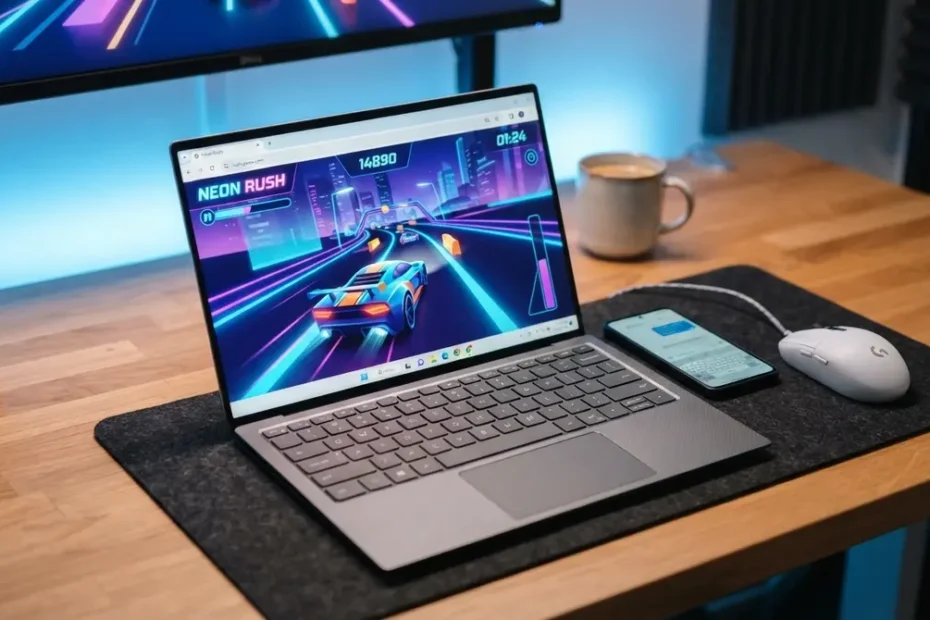
Testing Methodology Note: Performance observations, memory usage ranges, and troubleshooting steps in this guide were gathered using browser Developer Tools and Task Managers across three reference platforms: an entry-level Lenovo Chromebook (Intel Celeron N4020, 4GB RAM), a mid-tier Windows 11 desktop (Intel i5, RTX 3060, 16GB RAM), and an Apple M1 MacBook Air (8GB RAM).
TL;DR: Tbg95 is a recognized index of lightweight browser games built on open standards like HTML5 and WebGL. Because these titles execute inside your browser window, they do not require software installers or administrative access. However, visual performance depends on your device’s graphics acceleration settings, and visiting unofficial mirror domains requires standard ad-blocking precautions.
Finding a fast, zero-install game during a break can be tricky on managed devices. School Chromebooks and office workstations often restrict software downloads, lack elevated administrative privileges, and operate on networks with strict content filters.
These environment constraints drive search interest toward platforms like Tbg95. By serving games as web scripts rather than downloadable installers, these portals allow users to play directly inside open browser tabs.
Whether you are looking to understand how static web games function, fix a black screen loading error, or ensure your device remains secure, this guide provides an accurate, hands-on breakdown of the platform.
1. What Is Tbg95 and How Does the Platform Work?
Tbg95 acts as a directory for browser-compatible games, linking to or hosting lightweight files designed for instant play. Rather than running complex databases on specialized servers, the platform relies primarily on static file delivery.
When you launch a title, your web browser downloads the required code, graphic sprites, and audio files, then processes them locally on your device. The basic delivery flow follows three steps:
- Request: Your web browser requests the game page from a static web host or Content Delivery Network (CDN).
- Download: The host sends static HTML, CSS, and JavaScript files to your browser’s temporary cache.
- Execution: Your browser’s built-in JavaScript engine runs the code, rendering graphics inside an isolated browser tab.
Because static sites consist of simple code files, operators often mirror the content across alternative web addresses or subdomains (including static hosting providers like GitHub Pages). If an institutional filter blocks a single web address, alternative mirrors frequently emerge.
Modern browser gaming relies entirely on open standards maintained by major browser vendors. According to the Mozilla Developer Network Games Documentation, modern web browsers natively support complex 2D and 3D rendering engines, spatial audio, and controller hardware without requiring third-party plugins.
2. Technical Performance: 2D Canvas vs. 3D WebGL
Game performance on web portals varies based on the graphic engine used by the developer and your computer’s hardware capabilities.
2D Canvas API
Simple puzzle games, retro arcade remakes, and 2D platformers utilize the standard HTML5 Canvas API. These titles draw 2D image files (sprites) onto your screen with minimal computational overhead. During testing, basic 2D titles maintained a consistent 60 frames per second (FPS) even on budget Celeron-powered Chromebooks, using relatively little system memory.
3D WebGL Engine
Driving simulators, 3D runner games, and first-person titles rely on WebGL (Web Graphics Library). WebGL allows JavaScript to access your device’s graphics processing unit (GPU). On low-end devices with integrated graphics, 3D titles can stutter unless hardware settings are configured properly.
| Game Category | Dominant Graphic Engine | Estimated RAM Usage* | Observed Performance (Budget Chromebook) | Observed Performance (Mid-Range PC / Mac) |
| 2D Arcade & Puzzles | HTML5 2D Canvas | ~150MB – 250MB | ~60 FPS (Fluid) | ~60 FPS (Fluid) |
| 2D Continuous Runners | JavaScript / Canvas | ~200MB – 350MB | ~55 – 60 FPS (Fluid) | ~60 FPS (Fluid) |
| 3D Driving & Physics | WebGL / WebAssembly | ~450MB – 700MB | ~25 – 35 FPS (Noticeably Choppy) | ~60 FPS (Fluid) |
| 3D Action Titles | WebGL + WebSockets | ~600MB – 900MB+ | ~15 – 25 FPS (Frequent Lag) | ~55 – 60 FPS (Fluid) |
*Note: RAM usage and FPS figures represent approximate ranges measured via browser Task Managers on representative titles. Actual metrics vary by browser extensions, open background tabs, and specific game optimization.
3. Mobile vs. Desktop Control Compatibility
A frequent source of frustration for mobile users is discovering that a game loads visually on an iPhone, iPad, or Android device but fails to respond to screen taps.
Desktop-First Input Design
The vast majority of web games hosted on portals like Tbg95 were created for desktop hardware configurations:
- Directional movement relies on WASD or Arrow keys.
- Key actions require the Spacebar, Shift, or Enter keys.
- Aiming and view rotation rely on Mouse pointer coordinates.
The Mobile Touchscreen Gap
Because desktop games do not automatically generate virtual on-screen buttons, opening them on a touchscreen device leaves the player without input controls.
Only games explicitly programmed with touch-event listeners—such as single-tap jumpers, card games, and simple point-and-click puzzles—are fully playable on mobile screens. If you are playing on a tablet or smartphone, look specifically for titles tagged as mobile-friendly.
4. Security & Safety: Evaluating Mirror Sites and Privacy
Understanding web security basics helps keep your device protected when visiting free web portals.
Security Baseline: Browser games execute within your web browser’s security sandbox. This isolated execution layer prevents scripts running inside a tab from accessing your local hard drive directories or altering operating system files.
Realistic Security Considerations
While static HTML5 code itself presents minimal risk, site security depends heavily on the specific domain hosting the content:
- Static Hosting Limits: While static site hosts eliminate backend database exploits, static pages are not automatically risk-free. Web pages can still embed external scripts, third-party advertising frames, or links to external sites. Furthermore, free static hosting accounts may become unavailable if they exceed bandwidth limits or violate host policies.
- Third-Party Ad Layers: Commercial mirror sites often rely on aggressive ad networks to cover hosting costs. Clicking on unverified mirror pages can trigger pop-under windows directing to unwanted browser extensions or promotional software.
- Domain Spoofing: Unofficial mirror sites sometimes place graphic banner ads that mimic system warning dialogs or large “Start Game” buttons.
To protect your personal data and block aggressive ad scripts across all web browsing, consumer advocacy groups like the Electronic Frontier Foundation recommend using trusted, open-source privacy extensions. Deploying tools such as uBlock Origin prevents intrusive pop-under windows from opening secondary tabs during your session.
5. Troubleshooting: Resolving Black Screens, Lag, and Lost Saves
If a game displays a blank canvas, freezes on a loading bar, or loses your high scores, local browser configuration is usually the cause.
Fix 1: Enable Hardware Acceleration (Solves Black Screen Errors)
If a 3D WebGL game plays background audio but displays a completely black screen, your browser is likely failing to hand off graphics rendering to your GPU.
- Google Chrome & Microsoft Edge:
- Open Settings from the main menu (three-dot icon).
- Click System in the left sidebar.
- Toggle Use graphics acceleration when available to ON.
- Relaunch your browser.
- Mozilla Firefox:
- Go to Settings > General.
- Scroll down to Performance.
- Uncheck Use recommended performance settings, then check Use hardware acceleration when available.
- Apple Safari: Hardware acceleration is managed automatically by macOS. Ensure your system software is updated to the latest release.
Fix 2: Address Script Blocking Conflicts
Overly strict ad-blocking filter lists can occasionally block legitimate game assets (such as sprite sheets or audio pre-loaders), causing infinite loading screens.
- Click your privacy or ad-blocker extension icon in your toolbar.
- Select Pause on this site or whitelist the domain.
- Refresh the page (Ctrl + F5 on Windows; Cmd + Shift + R on macOS).
Fix 3: Retain Your Saved Progress
Browser games do not use traditional account sign-ins; instead, they save progress using your browser’s local memory API (LocalStorage).
- Avoid Clearing Site Data: If you use system cleaning software or manually clear “Cookies and Site Data,” your saved progress will be deleted.
- Avoid Incognito Mode: Private browsing windows discard local memory immediately after you close the tab, resetting your game progress every session.
6. Understanding Network Filters and Ethical Usage
Search queries for unblocked web platforms peak during school and business hours. Recognizing why institutional IT departments filter these domains helps explain network policies.
Network Administration Priorities
IT departments deploy content filters for practical reasons:
- Bandwidth Preservation: Continuous media streaming and asset loading consume shared network throughput, slowing down critical academic or business tools.
- Cybersecurity Standards: Unmonitored mirror sites carrying third-party ad networks increase exposure to malvertising and phishing scripts.
- Acceptable Use Alignment: Schools and workplaces maintain Acceptable Use Policies (AUPs) to keep network traffic focused on intended tasks.
Responsible Use Advice
While web games offer a quick way to relax during downtime, users should respect network policies. Avoid attempting to install unverified VPN browser extensions or modifying DNS settings on managed hardware, as doing so can trigger administrative policy violations. Stick to personal devices or mobile connections for personal browsing.
7. Curated Alternatives to Tbg95
If a specific domain is offline, undergoing maintenance, or blocked on your network, several reliable alternatives offer instant browser gaming:
1. Itch.io (HTML5 Tag)
Itch.io is an independent platform for indie developers. By filtering for HTML5 titles, you can browse thousands of original games that run directly in your browser with minimal ad interference.
2. GitHub-Hosted Game Projects
Many open-source game projects host playable demos directly via GitHub Pages (formatted as username.github.io/repository). These static projects load quickly, carry no ad trackers, and run clean code.
3. Poki and CrazyGames
For large catalogs of commercial browser games, Poki and CrazyGames provide well-maintained directories. While they utilize video advertising to support hosting costs, their platforms maintain strict security oversight and optimized WebGL performance.
Key Takeaways
- Standard-Based Play: Tbg95 relies on standard HTML5, JavaScript, and WebGL to run games directly in your browser without file downloads.
- Sandbox Isolation: Games run inside your browser’s security sandbox, preventing web scripts from modifying system files on your hard drive.
- Hardware Dependence: 2D arcade titles run smoothly on basic hardware, whereas 3D games require browser hardware acceleration to prevent lag.
- Local Storage: High scores and game progress are stored in your browser’s LocalStorage; clearing site data or playing in Incognito mode resets your progress.
Frequently Asked Questions (FAQ)
What is Tbg95?
Tbg95 is an online catalog that organizes lightweight HTML5 and JavaScript browser games, enabling users to play directly inside modern web browsers without installing software.
Is playing games on Tbg95 safe?
The games execute inside your browser’s isolated security sandbox, which protects your local hard drive. However, because mirror sites often use third-party ad networks, using an ad-blocking extension is recommended to prevent pop-under ads.
How do I fix a black screen when launching a game?
A black canvas usually indicates that hardware acceleration is turned off in your browser settings. Turn on hardware acceleration in your browser’s System settings menu and restart the browser.
Can I play Tbg95 games on a mobile phone?
While the web pages load on mobile devices, most catalog games require physical keyboard controls (like WASD or Arrow keys). Only titles designed with touchscreen inputs will be fully playable on phones or tablets.
Why did my game save disappear?
Saved progress relies on your browser’s LocalStorage. Clearing your browser cookies and site data, or playing inside an Incognito tab, permanently erases saved local game data.
What should I do if a game is lagging?
To improve frame rates in WebGL games, verify that hardware acceleration is enabled, close extra browser tabs to free up system memory, and pause active background downloads.
Conclusion
Browser-based gaming has matured into a reliable ecosystem powered by modern standards like HTML5 and WebGL. Sites like Tbg95 showcase how accessible web tech can deliver quick entertainment without software downloads or heavy system setups. By enabling browser hardware acceleration, deploying basic ad protection on mirror sites, and managing your local storage settings, you can enjoy a smooth, secure gaming experience on almost any hardware.
Keep Reading

What Is Mangogo (Mangago)? Platform Safety, Database Issues, and Legal Alternatives

Neworldsmagazine.com: What It Actually Publishes and How to Read It Safely

What Would Be an Appropriate Task for Using Generative AI?

SparkPressFusion com: A Real-World Guide to the Media Site, Digital Tools, and Content Strategy

Visual Workflow Automation & Visaop Guide: Building High-Compliance Operational Pipelines